MiraBox 293S Stream Dock Black – 15 Customizable LCD Keys, Monitoring Display, GIF Icons, USB-C Macro Keypad
Upgrade your streaming and productivity setup with the MiraBox 293S Stream Dock Black, featuring 15 customizable LCD keys arranged in a 5×3 layout and a dedicated monitoring display. Assign application shortcuts, OBS Studio commands, animated GIF icons, multimedia controls, and multi-action macros to simplify your everyday workflow. Featuring drag-and-drop software customization, organized shortcut folders, USB-C connectivity via USB 2.0, and compatibility with Windows and macOS, the MiraBox 293S is ideal for streamers, gamers, content creators, and professionals. **Color:** Black **Package:** Stream Dock, Desktop Stand, USB-C to USB-A Cable, Quick Start Guide Available at Lebanon Stores with delivery across Lebanon.
- Brand: MIRABOX
- SKU: LS-MIRABOX-293S-BK
- Shipping:
- Return Policy: We accept returns within 7 days of delivery for items that are unused, in their original packaging, and include all accessories. Some products may be non-returnable; please refer to the product page for specific details. To initiate a return, contact our Customer Support.
Product Description
MiraBox 293S Stream Dock – 15-Key LCD Macro Controller | Black
One Touch. Unlimited Possibilities. Smarter Productivity.
Take full control of your streaming, gaming, and everyday workflows with the MiraBox 293S Stream Dock, a versatile desktop macro keypad featuring 15 customizable LCD keys and a dedicated monitoring display.
Designed for content creators, live streamers, gamers, video editors, and professionals, the MiraBox 293S allows you to launch applications, execute shortcuts, control supported software, and automate repetitive tasks with a single keypress.
Its animated LCD icons, streamlined software configuration, and compact black design make it a practical addition to modern gaming and productivity setups.
Key Features
15 Customizable LCD Keys: Individually programmable keys arranged in a 5-column × 3-row layout.
Dedicated Monitoring Display: Separate non-touch information display for supported status monitoring.
Personalized Key Icons: Customize each key with recognizable visual icons.
Animated GIF Support: Display animated GIF icons directly on compatible LCD keys.
One-Touch Commands: Launch applications, trigger shortcuts, and activate assigned actions.
Multi-Action Macros: Combine multiple actions into ordered sequences using Action Flow.
Drag-and-Drop Configuration: Customize key assignments using MiraBox Stream Dock software.
Shortcut Folders: Organize streaming, editing, productivity, and gaming functions into separate folders.
OBS Studio Compatibility: Assign supported streaming and recording controls.
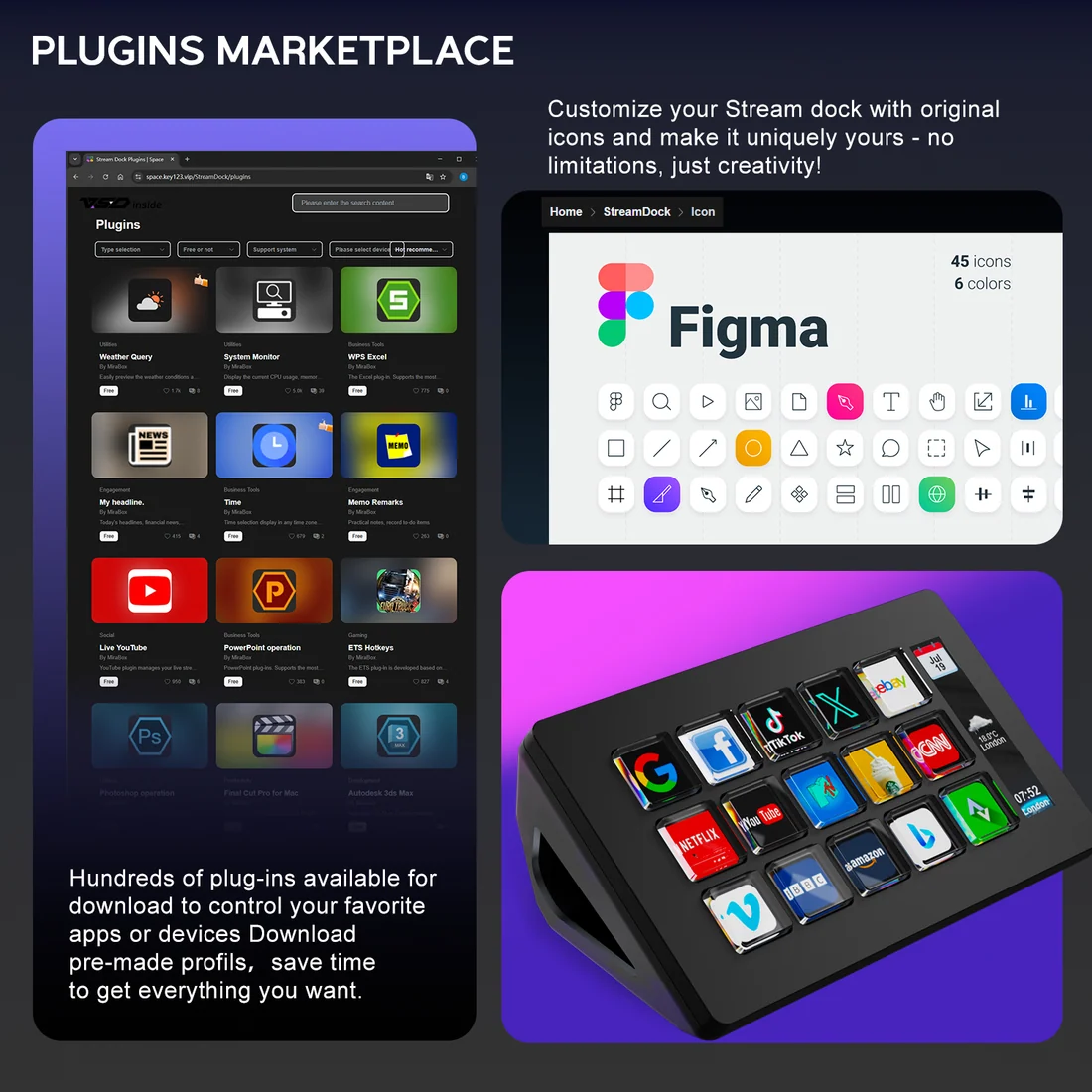
MiraBox Plugin Ecosystem: Expand supported features through available plugins and profiles.
Media Control: Assign compatible playback and volume shortcuts.
Productivity Automation: Create commands for frequently used applications.
USB-C Connection: Wired USB 2.0 connectivity using the included cable.
Windows & macOS Support: Configure the Stream Dock on compatible computers.
Angled Desktop Stand: Included stand for comfortable access and visibility.
Compact Black Design: Fits neatly alongside keyboards, microphones, and streaming accessories.
Technical Specifications
| Specification | Details |
|---|---|
| Brand | MiraBox |
| Model | 293S |
| Product Type | Programmable Stream Dock / Macro Keypad |
| Color | Black |
| Programmable Keys | 15 LCD Keys |
| Key Layout | 5 × 3 |
| Key Type | Physical Keys with LCD Displays |
| Additional Screen | Dedicated Monitoring Bar |
| Monitoring Bar Touchscreen | No |
| Custom Icons | Supported |
| Animated GIF Icons | Supported |
| Multi-Action Macros | Action Flow |
| Shortcut Folders | Supported |
| Configuration | Drag-and-Drop |
| Software | MiraBox Stream Dock |
| Plugin Ecosystem | MiraBox Space |
| OBS Studio Integration | Supported |
| Computer Compatibility | Windows / macOS |
| Connection | Wired USB |
| Device Port | USB Type-C |
| USB Interface | USB 2.0 |
| Included Cable | USB-C to USB-A |
| Dimensions Without Stand | 132 × 80 × 25mm |
| Weight Without Stand | 148g |
| Weight With Stand | 200g |
| Desktop Stand | Included |
15 Customizable LCD Keys
Create your own shortcut layout with 15 programmable LCD keys.
Assign custom icons, application shortcuts, and supported commands to make frequently used actions accessible from your desktop.
Multi-Action Macros & Automation
Save time by combining multiple commands into a single action sequence.
With Action Flow, the MiraBox 293S can execute configured commands in order, making it useful for repeated editing, streaming, and productivity tasks.
Streaming & OBS Studio Control
Configure supported OBS Studio commands for recording and streaming.
Switch scenes, trigger compatible actions, and organize your streaming controls through dedicated profiles and folders.
Animated GIF Icons & Monitoring Display
Customize individual LCD keys with static images and animated GIF icons.
The separate monitoring bar provides supported status information without occupying the programmable key grid.
Perfect For
Twitch and YouTube streamers
OBS Studio streaming and recording
Gaming desk setups
Video editing shortcuts
Content creation workflows
Office productivity
App launching and automation
Multimedia control
What's in the Box?
1 × MiraBox 293S Stream Dock
1 × Desktop Stand
1 × USB-C to USB-A Cable
1 × Quick Start Guide
Why Buy from Lebanon Stores?
Discover streaming equipment, gaming accessories, keyboards, microphones, PC components, and electronics at competitive prices.
Streaming and gaming accessory assistance
Delivery across Lebanon
Easy ordering through WhatsApp
Online shopping at LebanonStores.com
Order Now: www.LebanonStores.com
WhatsApp: +961 78 856 689
Lebanon Stores – Keep Tech Affordable.